Configuring Online Voice Routing
The M365 default Onboarding script creates a default Online Voice Routing 'Unrestricted' and default Voice Route 'Unrestricted' . You can customize this policy and create additional policies according to site requirements.
| 1. | In the Service portal Navigation pane, select Configuration > Online Voice Routing. |
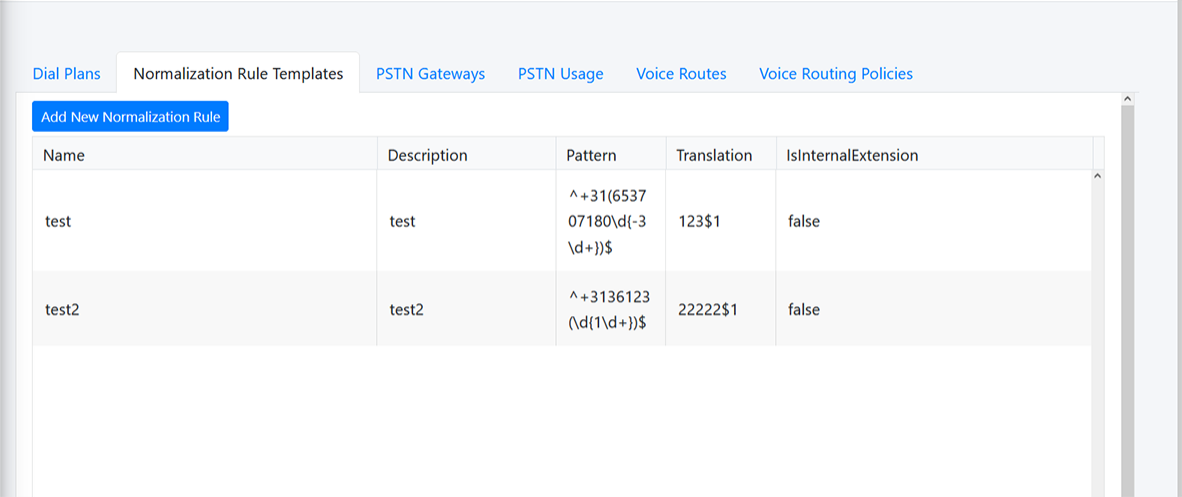
The Online Voice Routing screen allows you to define Customer M365 Tenant Voice Routing policies:
| ● | Voice Routing Policies (see Managing Voice Routing Policy) |
| ● | Voice Route (see Voice Route) |
| ● | PSTN Usage (see PSTN Usage) |
| ● | PSTN Gateways (see PSTN Gateways) |
| ● | Normalization Rule Template (see Microsoft 365 Dial Plan and Normalization Rules) |
| ● | Dial Plan (see Microsoft 365 Dial Plan and Normalization Rules) |